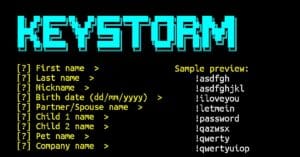
KeyStorm is a simple wordlist generator that creates custom wordlists from the information you enter. It asks for names, dates, places, keywords, and other details, then combines them to create possible word combinations. You can use the wordlist for learning, password auditing, and authorized security testing.
Installation Commands
Follow the commands below to install KeyStorm in Termux. Run each command one by one to download the tool and prepare it for use.
Update Termux packages.
pkg update && pkg upgrade
Install Git and Python.
pkg install git python -y
Clone the KeyStorm repository.
git clone https://github.com/script-ill/KeyStorm
Go to the KeyStorm directory.
cd KeyStorm
Run KeyStorm.
python3 keystorm.py
KeyStorm is now ready to generate a custom wordlist.
Usage Guide
After running KeyStorm, the tool will ask you to enter different details. It uses the information you provide to create possible word combinations.
It will ask you to enter:
- First name – Enter the first name.
- Last name – Enter the last name.
- Nickname – Enter a nickname.
- Birth date – Enter the date in
dd/mm/yyyyformat. - Partner/Spouse name – Enter the partner or spouse name.
- Child 1 name – Enter the first child’s name.
- Child 2 name – Enter the second child’s name.
- Pet name – Enter the pet name.
- Company name – Enter a company name.
- City – Enter the city name.
- Phone number – Enter the phone number.
- E-mail – Enter the email address.
- Important year – Enter an important year in
yyyyformat. - Keyword / memorable phrase – Enter important words or a memorable phrase separated by spaces.
Example:
[?] First name  > Alex
[?] Last name  > Smith
[?] Nickname  > Alex
[?] Birth date (dd/mm/yyyy)  > 01/01/2000
[?] Partner/Spouse name  > Emma
[?] Child 1 name  > John
[?] Child 2 name  > Mia
[?] Pet name  > Max
[?] Company name  > Example
[?] City  > London
[?] Phone number  > 1234567890
[?] E-mail  > alex@example.com
[?] Important year (yyyy)  > 2020
[?] Keyword / memorable phrase (space-separated)  > blue car
After entering the required information, KeyStorm processes the details and creates a custom wordlist.
It will generate a text file with the name of:
keystorm_wordlist.txtYou can check the generated file with:
ls
View the generated wordlist:
cat keystorm_wordlist.txt
Count the number of lines in the wordlist:
wc -l keystorm_wordlist.txt
You can use the generated file with password-auditing tools during authorized security testing.
Overview
KeyStorm is a simple way to generate a personalized wordlist in Termux. It combines the details you enter and saves the results in a text file that you can use for security testing and learning. It is easy to run and can generate the wordlist in just a few steps.