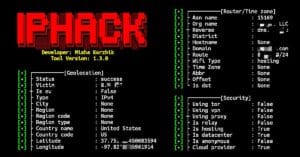
IP-Tracker is a simple and powerful IP lookup tool that helps you collect publicly available information about an IP address. It can display the IP location, country, city, ISP, timezone, coordinates, and other useful network details. It is useful for learning IP lookup, OSINT, and basic network reconnaissance.
Installation Commands
Run the following commands one by one to install the IP-Tracker tool in Termux.
Update Termux packages.
pkg update && pkg upgrade -y
Install Git.
pkg install git -y
Clone the IP-Tracker repository.
git clone https://github.com/DeepSociety/IP-Tracker
Move into the project directory.
cd IP-Tracker
Give execute permission.
chmod 771 tracker
Run IP-Tracker.
bash tracker
IP-Tracker is now installed and ready to use.
Usage Guide
After installing IP-Tracker, run the tool and enter the IP address you want to investigate.
Run IP-Tracker.
bash tracker
Enter the target IP address.
8.8.8.8
Press Enter to start the lookup. IP-Tracker will automatically collect publicly available information and display the results in the terminal.