Termux-LazyScript is a simple utility toolkit that combines various system information, networking, and information gathering tools into a single menu-based interface. It helps check device information, perform network lookups, scan ports, and access other useful utilities without remembering multiple commands. You can install and use Termux-LazyScript in Termux with just a few simple commands.
Here’s what you can do with Termux-LazyScript in Termux:
- View own system and hardware information.
- Check public IP address.
- Perform Whois and NS lookups.
- Run network diagnostic tools.
- Scan open ports.
- View storage and memory information.
- Access various Termux utilities.
- Learn Linux and networking commands.
Install Termux-LazyScript in Termux
Below are the simple commands to install Termux-LazyScript in Termux. Copy and run each command one by one to install the tool.
Update Termux packages.
pkg update && pkg upgrade -y
Install the required packages.
pkg install git python2 curl wget net-tools dnsutils traceroute whois nmap termux-api -y
Clone the Termux-LazyScript repository.
git clone https://github.com/TechnicalMujeeb/Termux-Lazyscript
Move into the Termux-LazyScript directory.
cd Termux-Lazyscript
Give execute permission to the script.
chmod +x setup.sh
Run the installation script.
sh setup.sh
Termux-LazyScript is now installed and ready to use.
Use Termux-LazyScript in Termux
Start the tool using the following command.
python2 ls.py
After running the script, the following menu will appear inside the terminal.
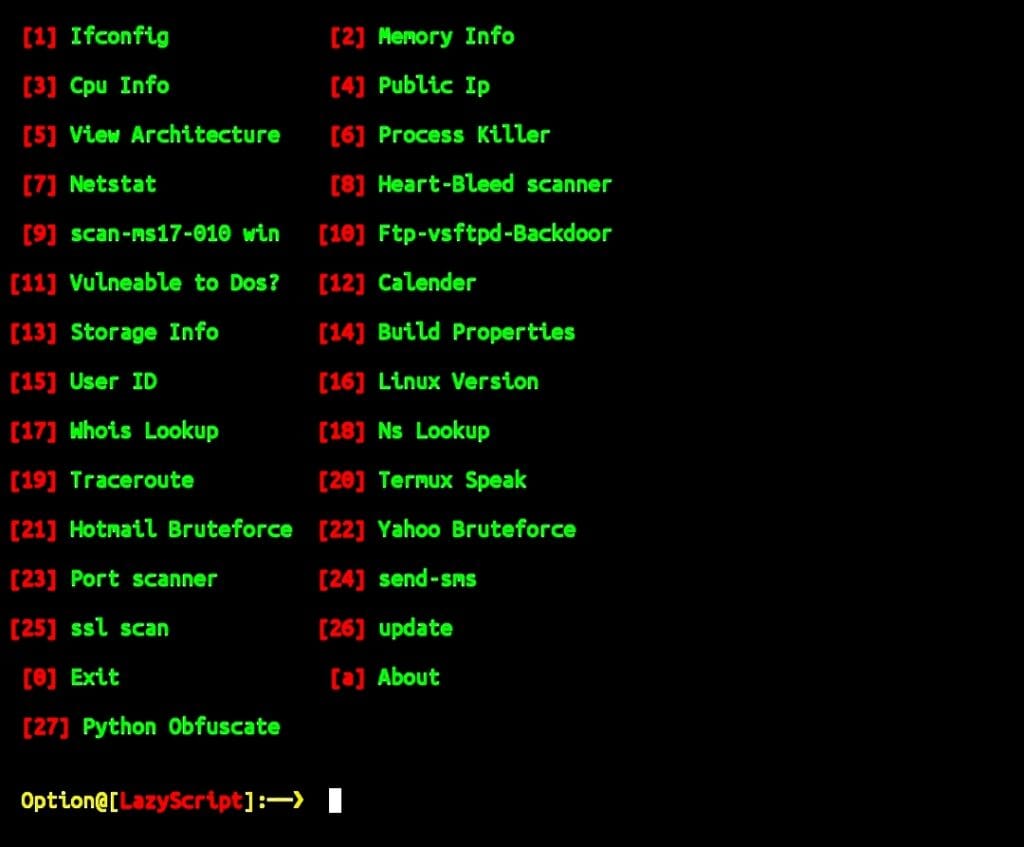
Menu Options,:
- Ifconfig : Displays network interface information.
- Memory Info : Shows RAM and memory usage details.
- CPU Info : Displays processor information.
- Public IP : Shows your current public IP address.
- View Architecture : Displays device architecture information.
- Process Killer : Helps terminate running processes.
- Netstat : Shows active network connections.
- Heart-Bleed Scanner : Checks for the Heartbleed vulnerability.
- Scan MS17-010 Win : Checks systems for the MS17-010 vulnerability.
- FTP VSFTPD Backdoor : Tests for the VSFTPD backdoor vulnerability.
- Vulnerable to DoS? : Performs a basic denial-of-service vulnerability check.
- Calendar : Displays a calendar inside the terminal.
- Storage Info : Shows storage usage information.
- Build Properties : Displays Android build properties.
- User ID : Shows current user information.
- Linux Version : Displays Linux kernel information.
- Whois Lookup : Performs domain Whois lookups.
- NS Lookup : Retrieves DNS information.
- Traceroute : Tracks the route to a target host.
- Termux Speak : Uses text-to-speech through Termux API.
- Port Scanner : Scans ports on a target host.
- SSL Scan : Checks SSL certificate information.
- Update : Updates the script to the latest version.
- Python Obfuscate : Obfuscates Python scripts.
- About : Displays information about the script.
- Exit : Closes the script and returns to the Termux terminal.
Choose the option you want and Termux-LazyScript will automatically perform the selected task and display the results in the terminal.








