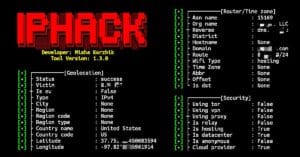
ippin is a lightweight IP lookup and reconnaissance tool that is used to collect information related to IP addresses directly from the terminal. It can display network details, IP location data, and other basic information gathering results from Android using the Termux application. Below are the commands to install and use ippin in Termux.
Installation commands
Update Termux packages and install Node.js, NPM, and Git:
pkg update && pkg upgrade -y && pkg install nodejs npm git -y
Clone the official ippin GitHub repository into Termux:
git clone https://github.com/princekrvert/ippin.git
Move into the ippin directory:
cd ippin
Install all required NPM modules for ippin:
npm install
Give execute permission to all files:
chmod +x *
Run ippin and check information about an IP address:
node ippin -i 8.8.8.8
Replace 8.8.8.8 with any target IP address you want to check.
Usage Commands
Check IP address information:
node ippin -i 1.1.1.1
Lookup another target IP address:
node ippin -i 8.8.4.4
Check local network IP information:
node ippin -i 192.168.1.1
Show the help menu:
node ippin --help
ippin is a lightweight IP information gathering tool that can be used in Termux using some simple commands. It provides a simple way to check IP details, perform basic reconnaissance tasks, and practice Linux terminal commands.